A moment, saved.
Each tap creates one entry. Add the Android home-screen widget to record a moment and see today’s counts without opening the app.
 Mood Tracking
YOUR MOMENTS. YOUR PACE.
Tap Happy or Mood Off to save how you feel in the moment. View your daily counts, history and reports to reflect on your recorded moods. Free to use, with no account required. Your mood records are stored on your device.
Android · Free · Adults 18+
Public release not yet announced.
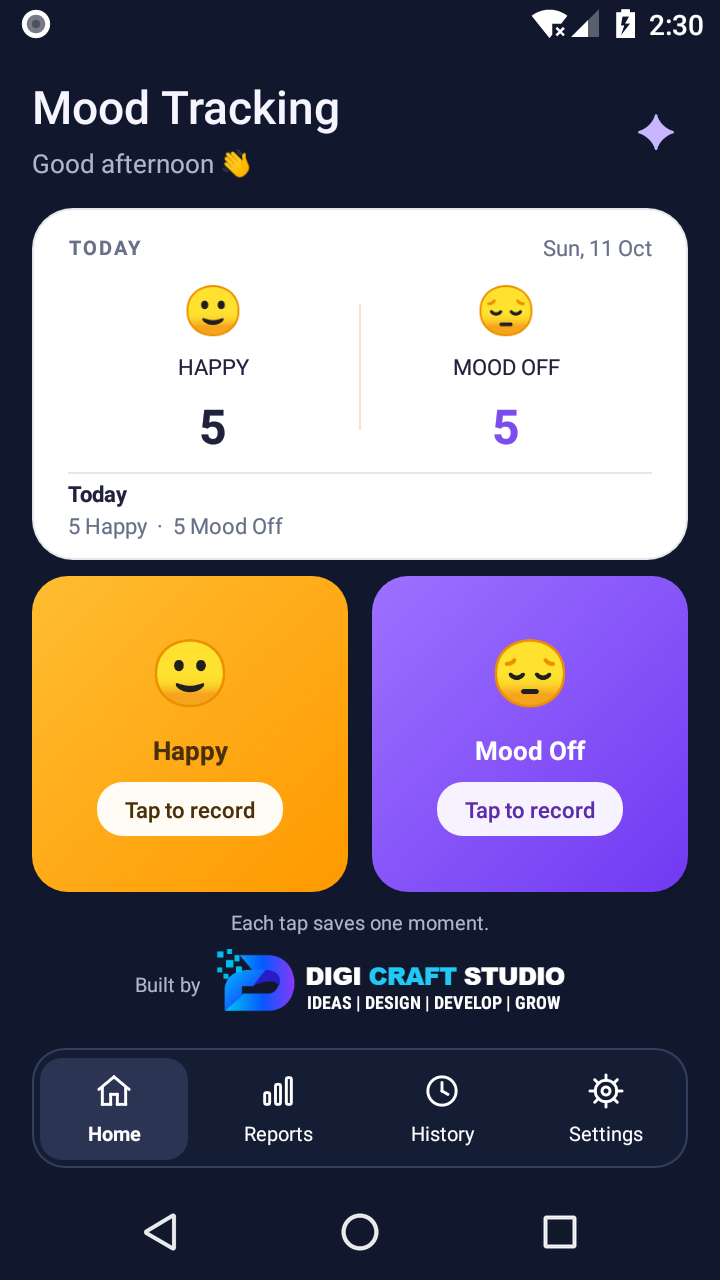
SMALL MOMENTS, SIMPLE TO RECORD
No long form. Tap Happy or Mood Off to save a mood and timestamp. Record once or several times throughout the day.
Each tap creates one entry. Add the Android home-screen widget to record a moment and see today’s counts without opening the app.
Browse History, filter dates and explore Day, Week, Month and Year reports. Counts describe your recorded moments, not how long a mood lasted.
Save all stored dates to a readable CSV using Android’s file picker. You choose the destination. CSV import and restore are not available.
A JOURNAL ON YOUR DEVICE
Recording, History, Reports and the widget work offline. There’s no login, analytics or developer-operated cloud sync in this release.
Your device and your exported copies still need care. The app has no additional PIN or biometric lock or app-managed database encryption. A cloud provider you choose for an export may upload the file.
Understand exports and deletion ↗GOOD TO KNOW
Mood Tracking is not a medical device and does not diagnose, treat, cure or prevent a medical condition. Consult a qualified healthcare professional for medical advice, diagnosis or treatment. Your journal is not monitored.
Read the wellbeing noticeFind help with recording, reports, the widget and your data.
Visit Help & SupportEnglish interface · By Digi Craft Studio